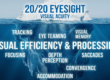
Addressing Digital Eye Strain in the Modern South African Office
Why Modern Offices Challenge Our Eyes
If you really think about it, our eyes were not made to look at screens all day. Humans were hunters and gatherers, designed to look far into the distance. Staring at a computer, tablet, or phone for hours is like forcing your eye muscles to do “push-ups” all day long.
When we focus on something close, the ciliary muscles around the lens contract so the lens becomes more convex to see clearly. Over time, this constant strain can cause those muscles to spasm or fatigue.
Common Symptoms of Digital Eye Strain
Prolonged screen use may result in:
- Headaches
- Eye strain (eyes feel heavy or “pulling”)
- Intermittent blurriness
- Blurry night vision, especially when driving
- Light sensitivity
- Procrastination and fatigue
- Difficulty sustaining focus
- Poor night driving performance
- Double vision or unstable binocular vision
These symptoms are often dismissed as “just being tired,” but they may be signs of underlying binocular vision dysfunction that requires professional evaluation.
What Else Can Cause Night Vision Problems?
It’s worth noting that night driving difficulties are not only due to fatigue. Other possible causes include:
- Uncorrected astigmatism
- Allergic conjunctivitis (causing light sensitivity)
- Higher-order aberrations in the visual system
- Vitamin A deficiency
This is why a full, comprehensive eye examination is essential to rule out underlying conditions.
Why Blue Light Glasses Aren’t the Answer
You might remember the blue-light blocking craze. While these lenses were marketed to protect against retinal damage, studies—including research at the University of Johannesburg—show that most do not actually block harmful wavelengths.
The truth: the blue light from screens doesn’t pose the same danger as UV light. However, it does contribute to fatigue, as our eyes require more effort to focus blue wavelengths compared to warmer colours.
Instead of expensive gimmicks, simply use your device’s blue shield, eye guard, or dark mode settings. These reduce eye strain, though they may not be suitable for graphic designers or digital artists.
When the Eyes Can’t Keep Up
Many people have always had minor binocular vision issues, but only experienced symptoms once the visual demands of work or study became excessive. Moving from matric to university, or from a low-screen job to an 8-hour desk job, often unmasks these issues.
Binocular vision problems include:
- Convergence insufficiency
- Accommodative insufficiency
- Accommodative spasm
- Binocular vision instability
These issues can be helped with spectacles, prism lenses, or vision therapy—a series of eye exercises designed to improve how the eyes work together.
How to Protect Your Eyes at Work
Digital eye strain is not just about feeling tired—it can reduce your productivity, concentration, and even quality of life. To protect your vision:
- Take regular breaks
- Blink more often, especially when using air conditioning
- Adjust your screen’s brightness and contrast
- Consider specialised lenses (computer glasses, multifocals, or prism lenses if needed)
- Schedule regular comprehensive binocular vision evaluations
Final Thoughts
Wouldn’t it be great to remove at least one source of daily fatigue? Your eyes work hard for you—don’t let digital eye strain hold you back from optimal performance.
Book a full, comprehensive eye examination to rule out refractive errors, binocular vision problems, and other conditions that may be slowing you down.
👉 Take care of your eyes, and they’ll take care of you.